How sendroAI Works: The Real 7-Step Outreach Workflow
See how sendroAI runs outbound campaigns in 7 clear steps, from campaign brief and messaging style through scheduling and launch.
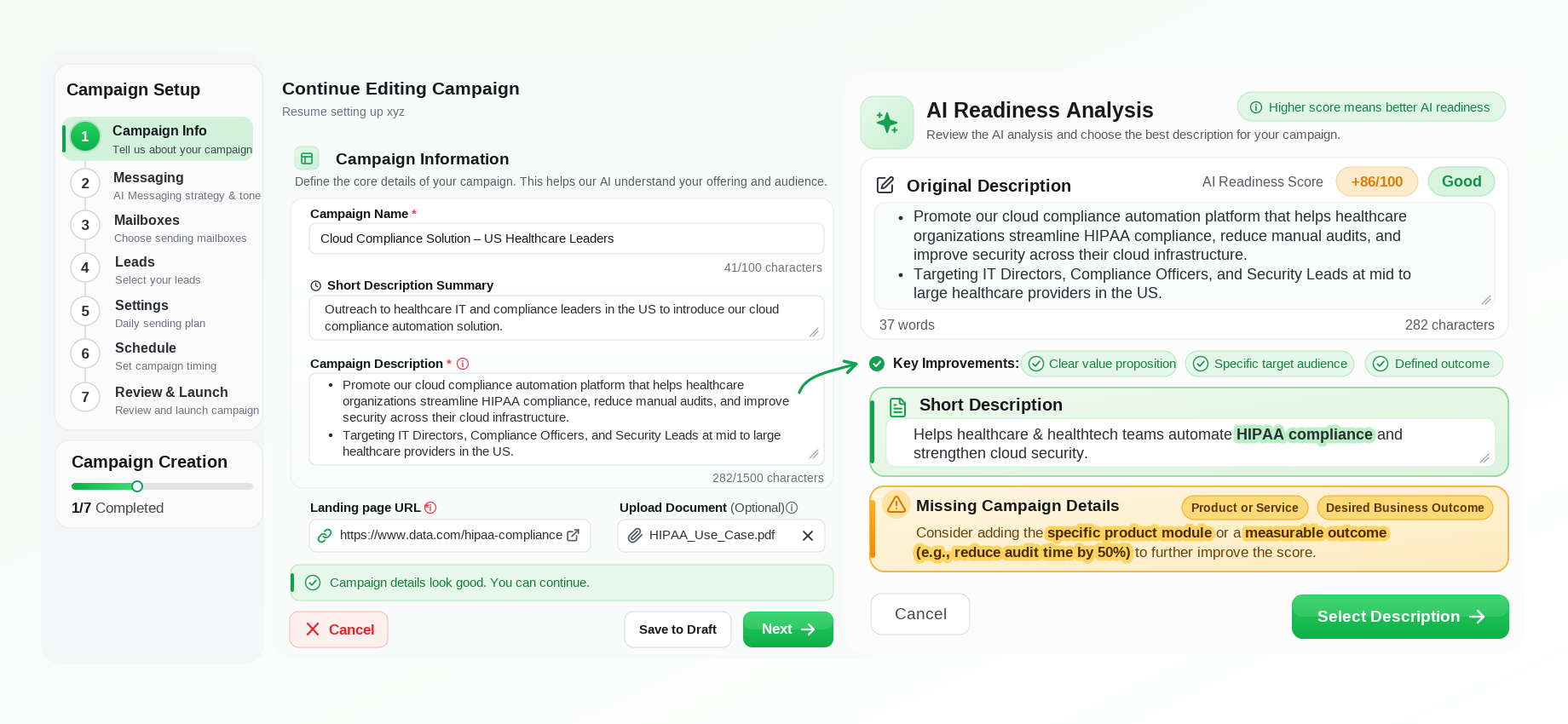
Create your campaign brief.
Enter your website link. sendroAI automatically extracts your product positioning, value propositions, and buyer personas to create your campaign brief.
- Auto-Filled Brief: Extracts your core offering and value propositions in seconds.
- Document Uploads: Attach sales decks or PDFs to provide extra product context.
- Pre-Set Guardrails: Set clear rules that prevent generic phrases and spam clichés.
Choose your messaging style.
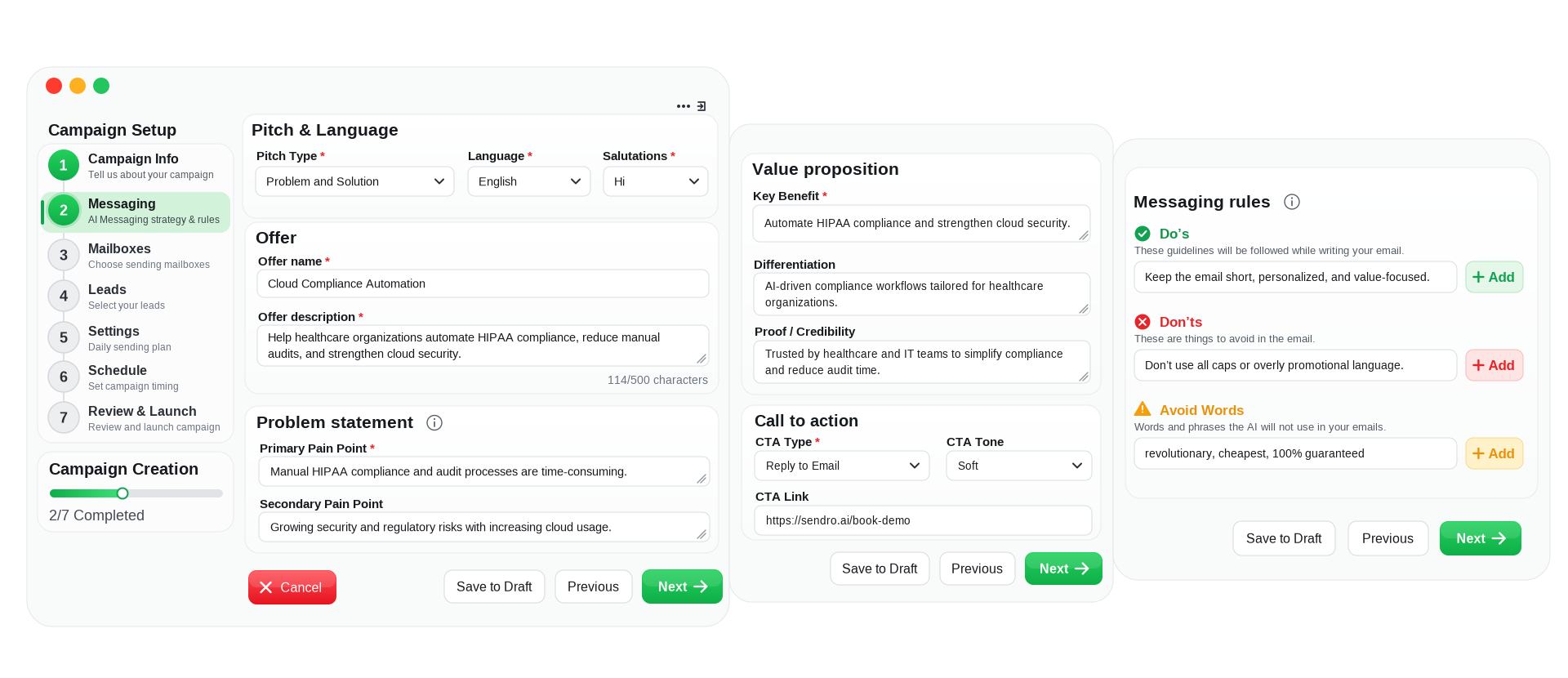
Set the offer, audience, tone, and structure that guide every personalized message.
- Buyer Pain Points: Focus messages on real challenges your prospects face daily.
- Clear Value Offer: Articulate core outcomes so prospects see the benefit of replying.
- Messaging Style: Choose a voice and structure that fit your audience and offer.
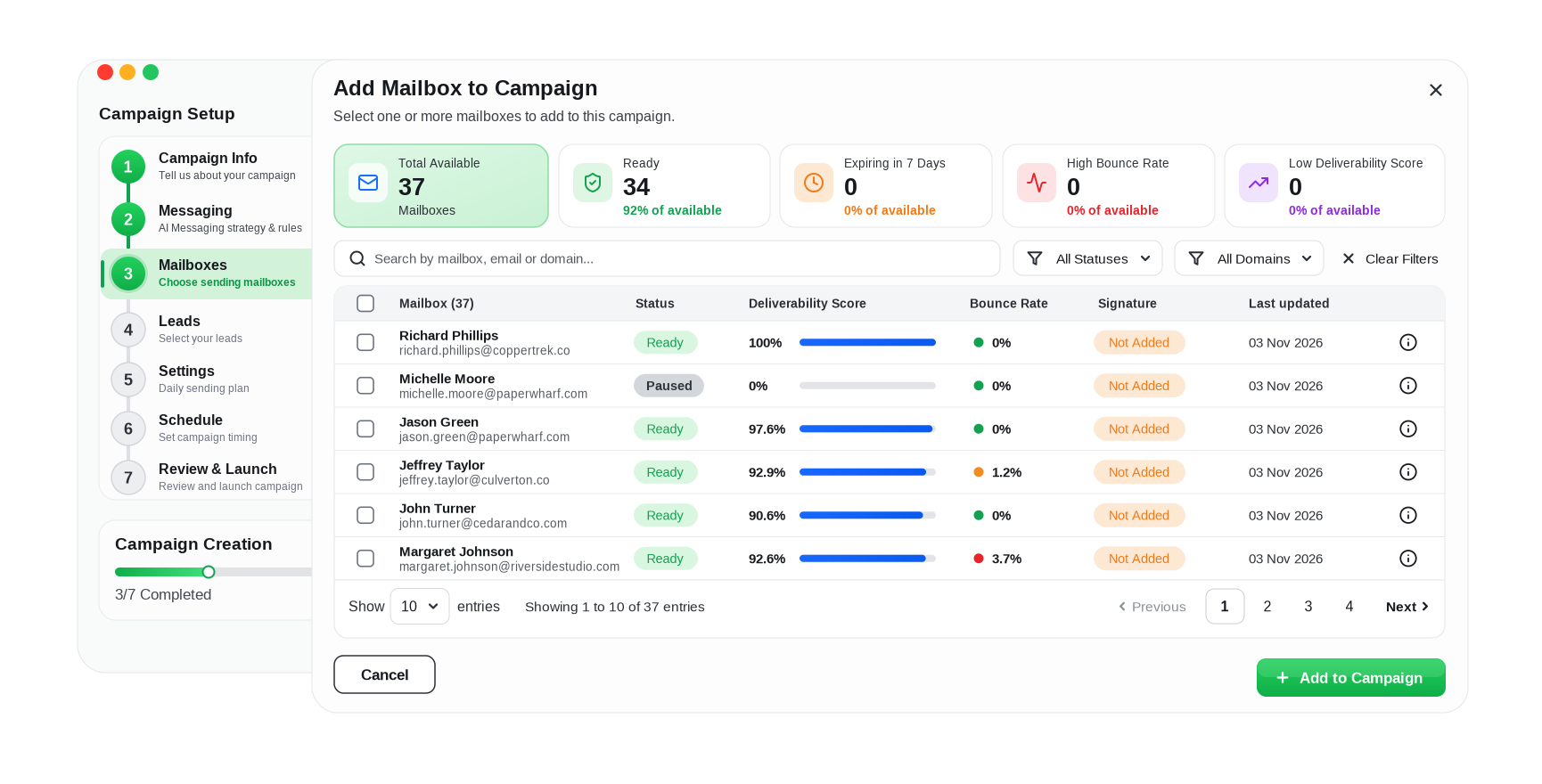
Select mailboxes for safe sender rotation.
Protect your sender reputation with automated mailbox rotation. We provide our own dedicated mailboxes with no limit on quantity.
- Dedicated Mailboxes: Pre-configured sender accounts with unlimited mailbox capacity.
- DNS Verification: Real-time SPF, DKIM, and DMARC checks to ensure primary inbox delivery.
- Automated Load Balancing: Distributes sends evenly across mailboxes to keep deliverability high.
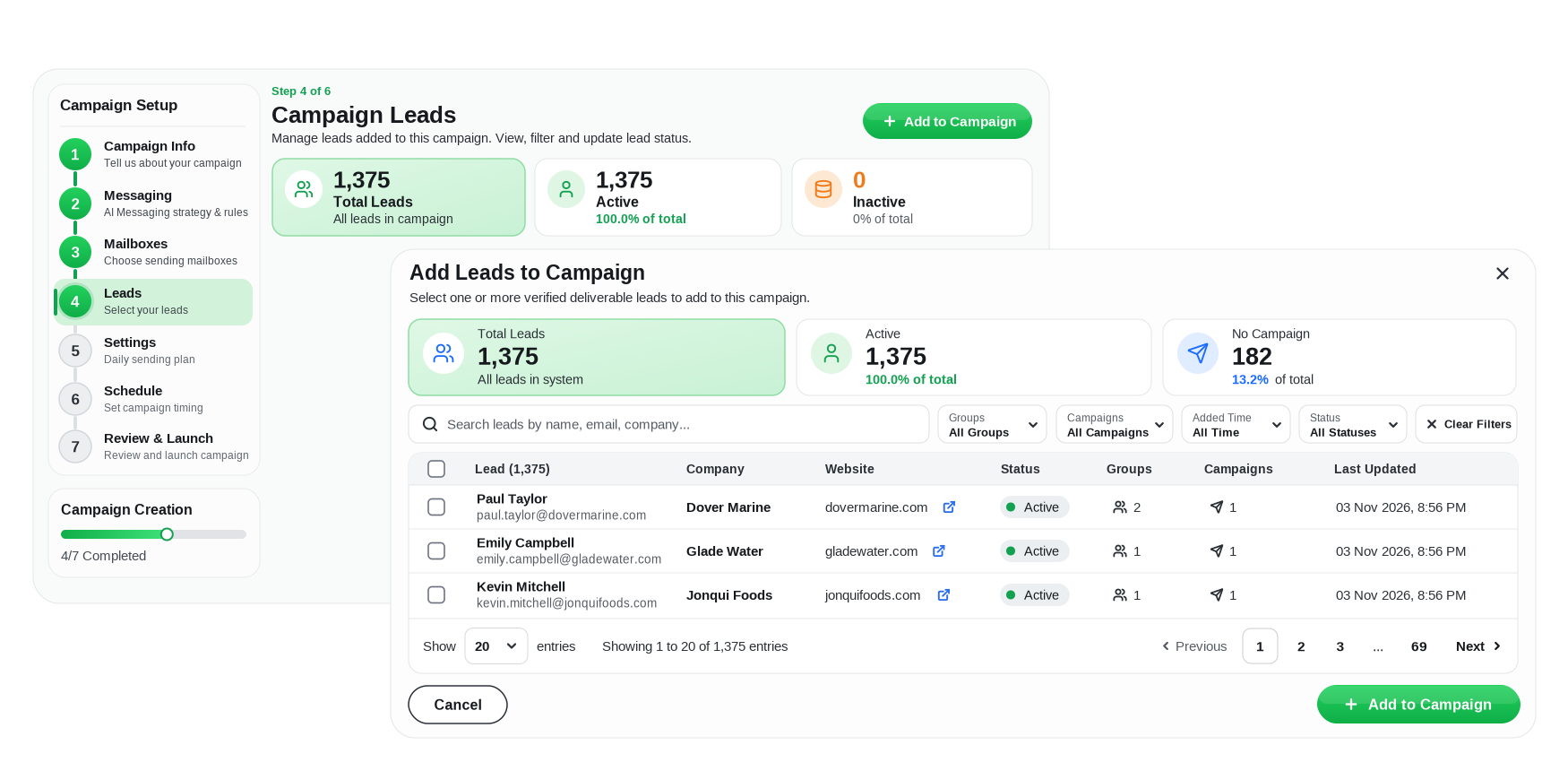
Add prospects.
Import prospect lists via CSV or select existing contacts. sendroAI automatically verifies email deliverability to protect your sender score.
- Deliverability Verification: Validates every lead in real time to prevent bounces.
- Website Domain Linking: Maps each prospect to their company domain for autonomous research.
- Lead Groups: Organize prospects into reusable segments for targeted campaigns.
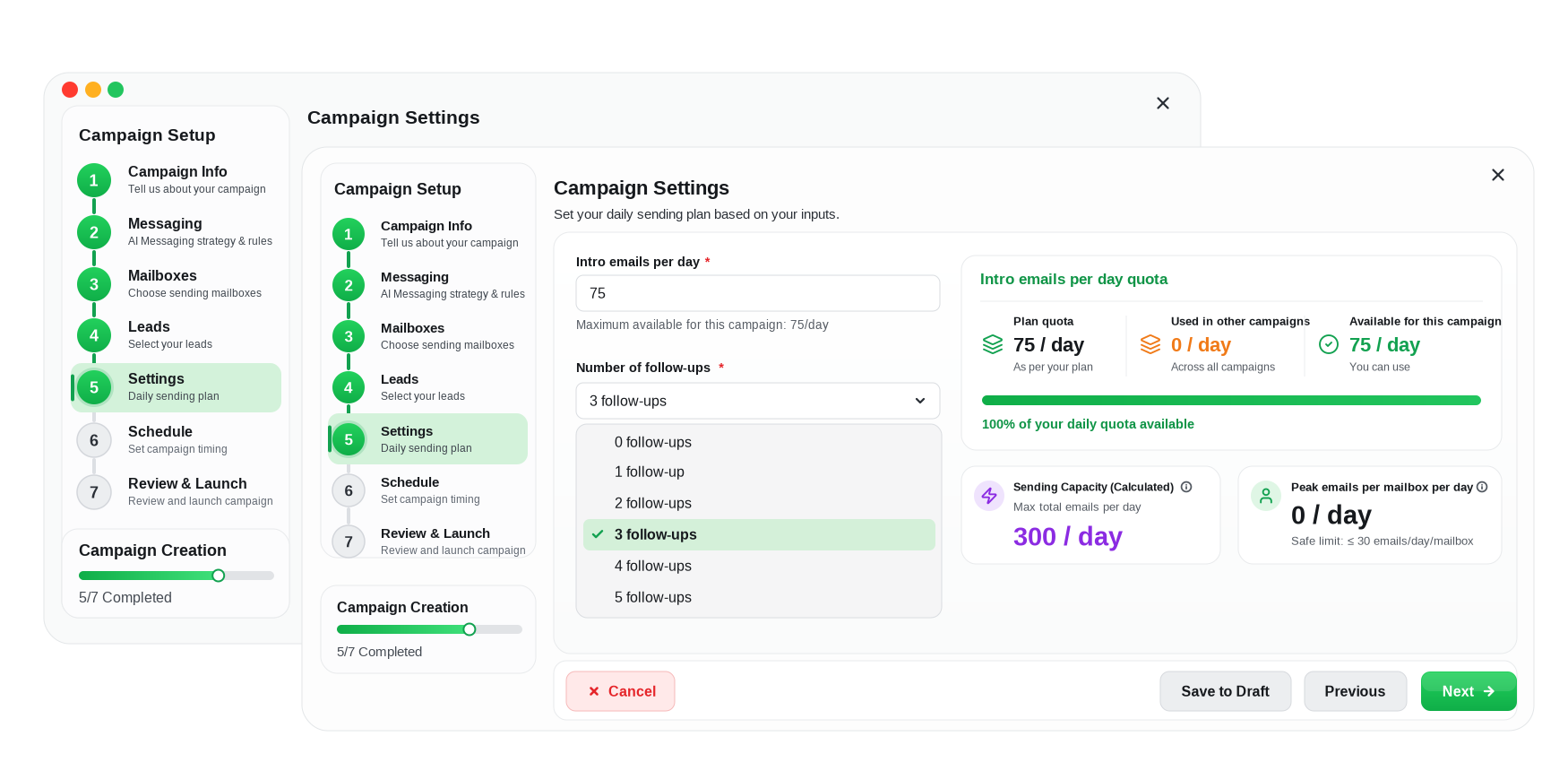
Set your campaign settings.
Choose sending limits and mailbox options before setting the campaign schedule.
- Daily Sending Limits: Set safe quotas across your connected mailboxes.
- Mailbox Rotation: Distribute campaign volume across your selected sender pool.
- Sending Readiness: Review mailbox health and sending configuration before launch.
Schedule your campaign.
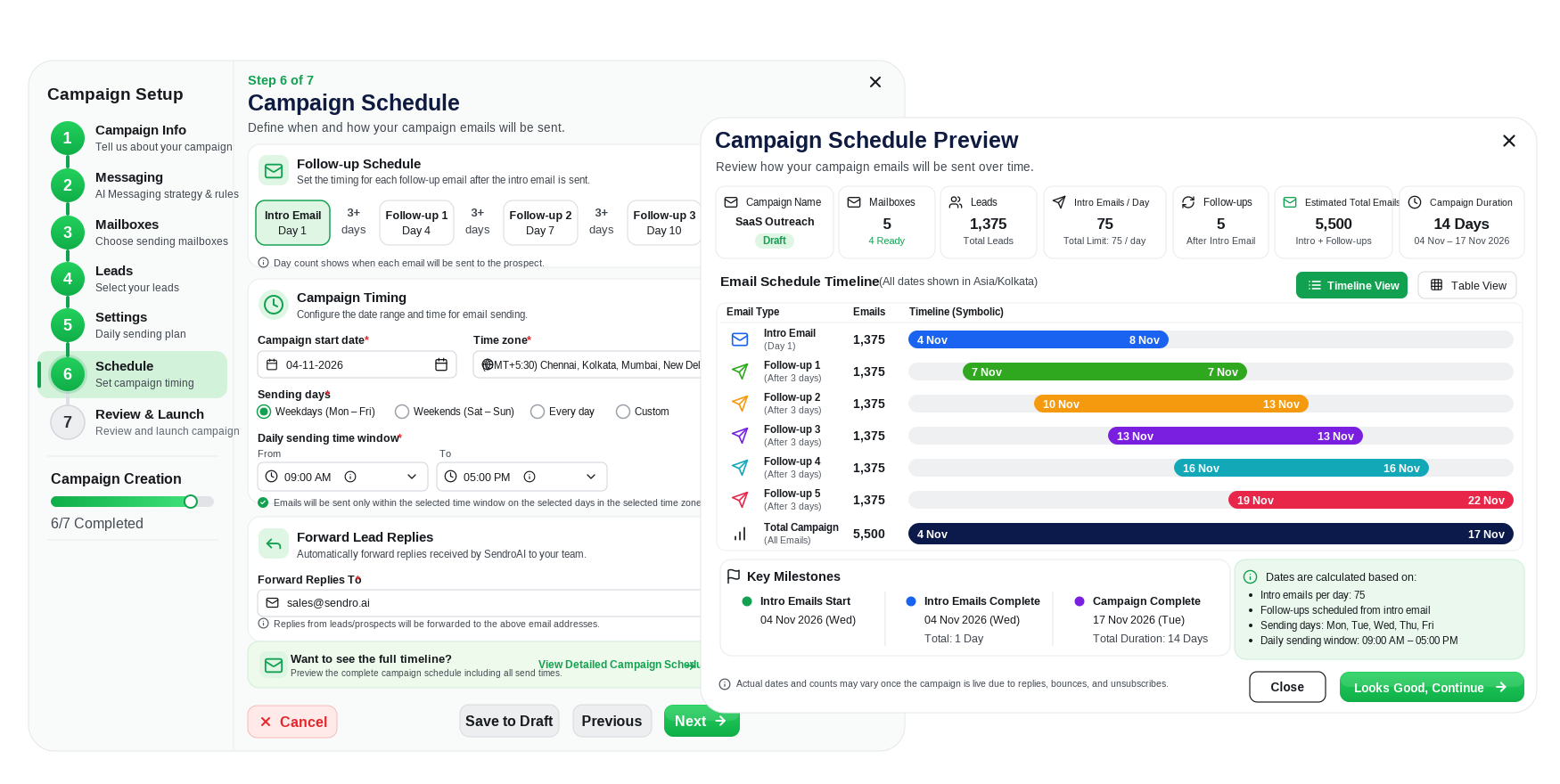
Define when and how your campaign emails will be sent. Set multi-touch follow-up intervals and active timezone windows, and forward replies to your team.
- Follow-Up Schedule: Set exact intervals between touches (Intro Email Day 1, Follow-up 1 Day 4, Follow-up 2 Day 7, and Follow-up 3 Day 10).
- Campaign Timing & Active Windows: Restrict dispatches to weekdays (Mon–Fri), 9:00 AM–5:00 PM in the prospect’s local timezone.
- Forward Lead Replies: Automatically route incoming prospect replies directly to your team’s designated inbox.
Review and launch your campaign.
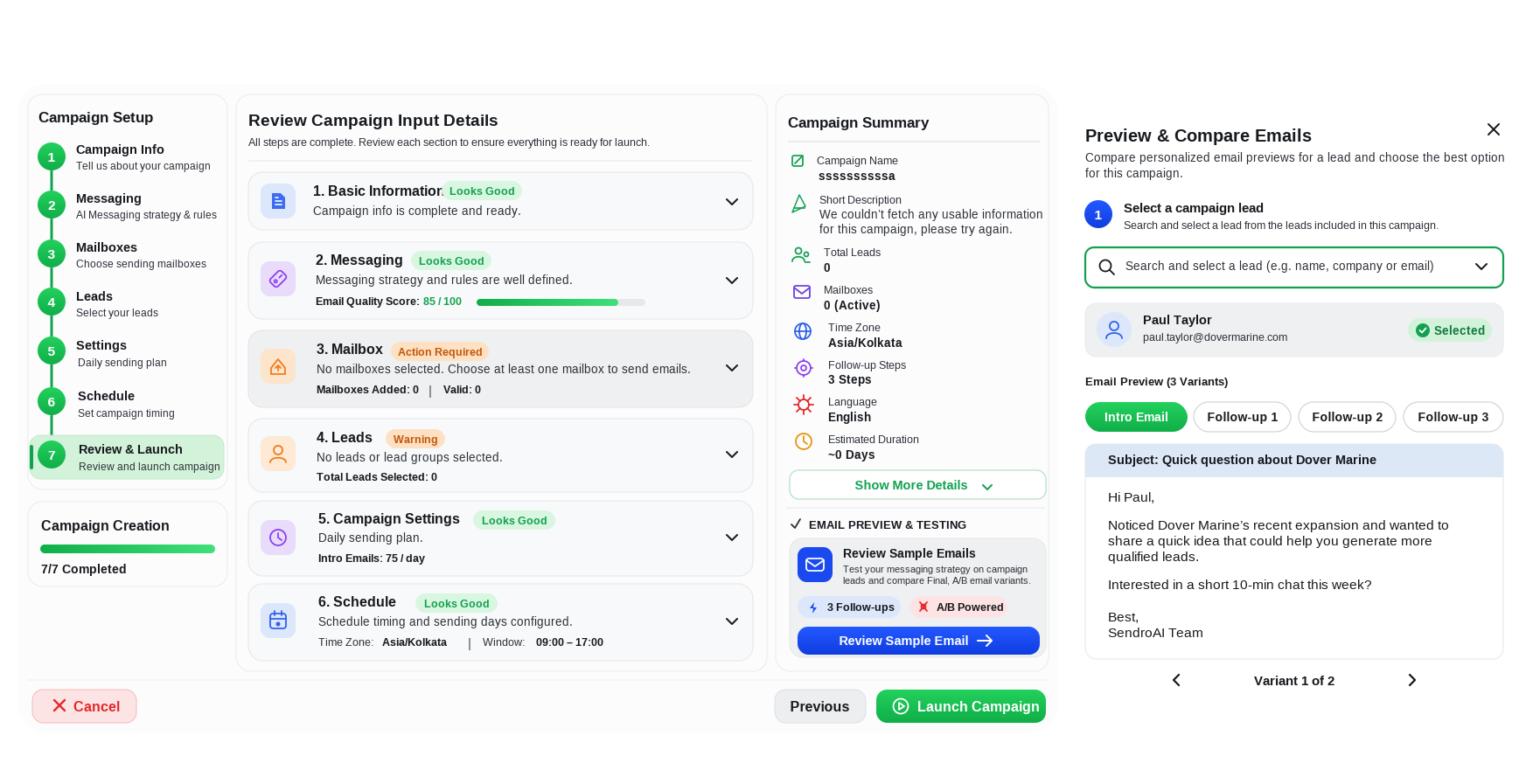
All steps are complete. Review every section with instant AI readiness scoring, preview sample emails on live leads, and launch with autonomous reply guard protection.
- 6-Point Verification & AI Readiness: Run real-time checks across Basic Info (85/100 score), Messaging, Mailboxes, Leads, Settings, and Schedule before launch.
- Email Preview & Testing: Compare Email A vs Email B variations generated on live prospects to test your messaging strategy.
- Instant Reply Guard: Automatically halt all future follow-ups the moment a prospect responds.

Spend less time preparing outreach. More time selling.
Let sendroAI handle the research, personalized emails, and follow-ups behind your campaigns so your team can focus on building relationships and closing deals.