Learn how strict corporate spam filters block cold email. Discover strategies to improve sender reputation, pass security checks, and boost inbox placement.
Corporate Security Layers Block Standard Outbound Traffic
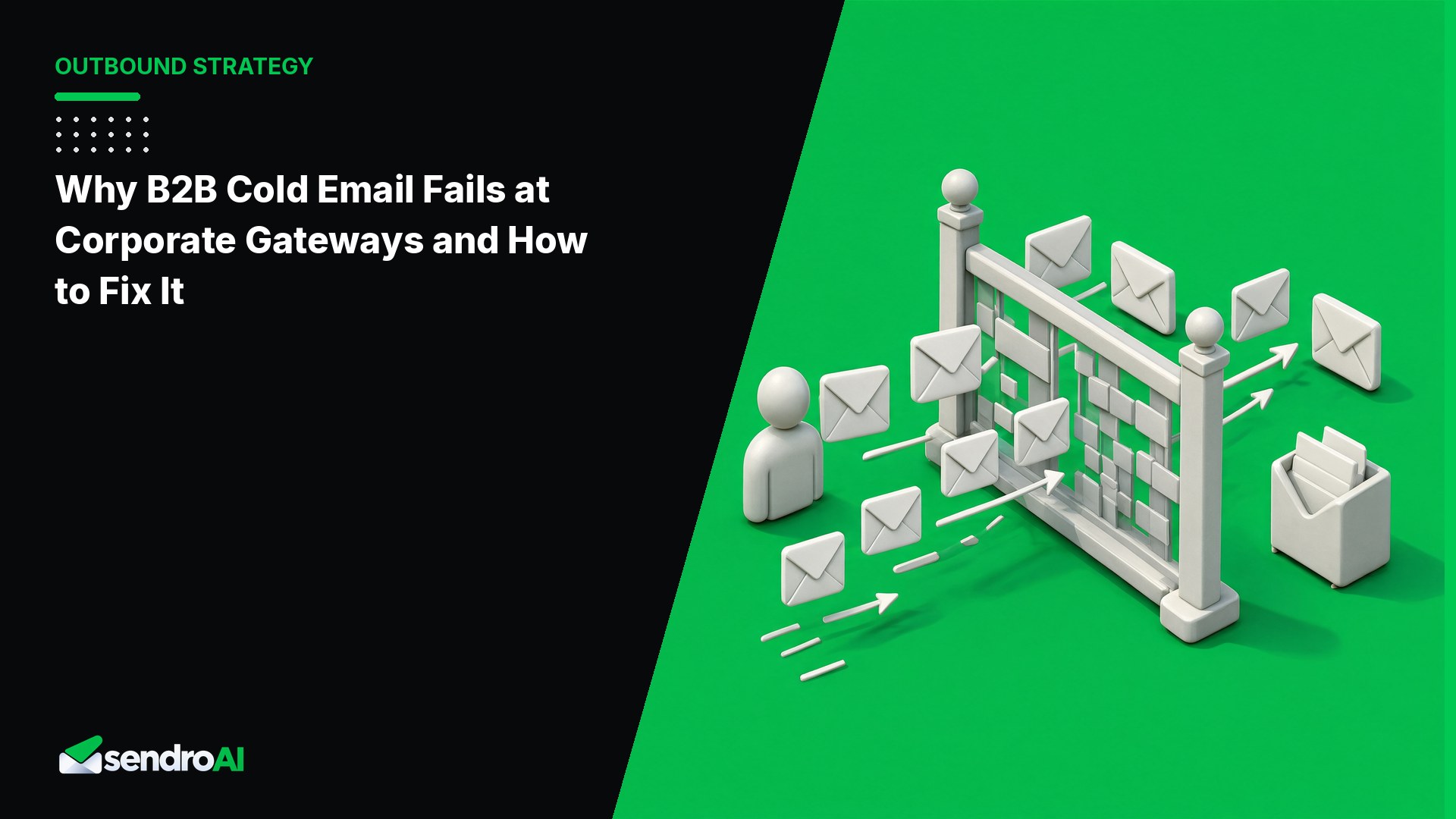
You send a perfectly crafted cold email, watch it disappear into the void, and assume your copy failed. The reality is often more technical: corporate security gateways intercepted your message before it ever reached the prospect's inbox.
Large enterprises deploy multi-layered defense systems that scrutinize every inbound packet for reputation, authentication, and content anomalies. If your infrastructure doesn't speak their language, these filters reject your traffic silently or bury it in spam folders.
Understanding how these layers work transforms your outreach from a guessing game into a predictable channel. You can diagnose why specific domains block you and adjust your sending environment to pass through without friction.
Authentication Protocols Are Non-Negotiable
Corporate mail servers rely on strict verification protocols to confirm that an email actually came from the domain it claims. If you lack proper SPF, DKIM, and DMARC records, many enterprise gateways will drop your messages immediately.
These standards are not optional suggestions; they are the baseline requirements for modern email delivery. A missing DKIM signature alone can trigger automatic rejection by Microsoft Exchange Online Protection, which guards millions of business accounts.
- Ensure your SPF record lists all authorized sending IPs and never exceeds ten DNS lookups.
- Verify your DKIM keys match the selector used in your outbound headers.
- Configure DMARC with at least
p=noneinitially, then move top=quarantineas reputation stabilizes.
Check your current setup against the SPF RFC 7208 and DKIM RFC 6376 specifications. Small configuration errors here cause silent failures that look like poor open rates but are actually delivery blocks.
Reputation Scoring Dictates Access
Beyond authentication, gateways evaluate the historical behavior of your sending IP and domain. They check if you've been flagged for spam, if your bounce rate is too high, or if your volume spikes unexpectedly.
New domains start with no reputation, making them suspect to aggressive corporate filters. If you ramp up volume too quickly on a fresh domain, security systems may interpret this as a compromised account or a botnet attack.
Illustrative Example: A sales team launches a new domain and sends 500 emails per day starting Monday morning.
Result: The receiving gateway flags the sudden volume spike as anomalous, temporarily blocking the IP range until manual review occurs.
Warm-up processes exist to build trust incrementally. You must demonstrate consistent, low-volume engagement over weeks to prove you are a legitimate sender rather than a threat actor.
Monitor your sender score regularly using tools like Validity Sender Score. A drop below 90 often triggers stricter filtering at major enterprise gateways.
Content Filters Analyze Context
Once authentication passes, the gateway inspects the actual body of your email. It looks for keywords, link structures, and image-to-text ratios that correlate with known spam patterns.
Generic phrases like "free trial," "buy now," or excessive capitalization raise red flags. Corporate filters are tuned to catch marketing noise, so even well-intentioned B2B pitches can get caught in the crossfire.
| Filter Layer | What It Checks | Common Failure Point |
|---|---|---|
| Gateway Anti-Spam | Keyword density, link safety, attachment types | Shortened URLs or unverified third-party links |
| Behavioral Analysis | Recipient interaction history, bounce rates | High bounce rate from invalid contacts |
| Policy Enforcement | DMARC alignment, SPF hard fails | Mismatched return-path domains |
Avoid using URL shorteners entirely. Most corporate firewalls block them because they hide the destination site, violating security policies regarding transparency.
Keep your HTML simple and text-heavy. Heavy graphics or complex templates increase file size and processing time, which some legacy corporate servers may timeout or reject.
Infrastructure Mismatches Cause Silent Drops
Sometimes the issue isn't your email content but your sending server's compatibility with the recipient's network. Large corporations often use on-premise Exchange servers behind firewalls that restrict external SMTP connections.
If your IP address falls within a range previously associated with abuse, those firewalls may block you at the connection level. This happens before any email data is transmitted, resulting in immediate delivery failure logs.
Use dedicated IPs for high-volume campaigns to isolate your reputation from other users on shared platforms. Shared IPs carry the risk of inheriting someone else's bad history.
Q: Why do my emails go to spam only for large companies?
Large companies employ advanced, multi-layered security gateways that enforce stricter authentication and reputation checks than consumer mailbox providers. Your sending infrastructure likely lacks the specific compliance signals these enterprise filters require.
Prioritize Technical Compliance Over Copy Tweaks
Stop rewriting subject lines if your deliverability issues persist across multiple domains. First, audit your SPF, DKIM, and DMARC configurations to ensure they meet RFC standards. Then, verify your IP reputation is clean before blaming your messaging strategy.
You’ve likely fixed your SPF, DKIM, and DMARC records. You’re sending from a clean domain with proper warm-up protocols. Yet your cold emails still vanish into the void for prospects at large enterprises. The culprit isn’t usually your content; it’s the corporate gateway sitting between you and the inbox. These security layers—often managed by IT departments rather than marketing teams—treat unknown senders as potential threats by default. To bypass them, you need to shift your strategy from simple deliverability to trust signaling.
Implement BIMI for visual trust cues
Corporate gateways increasingly rely on visual indicators to help human reviewers distinguish legitimate business correspondence from phishing attempts. If your email arrives without a verified logo in the sender profile, it looks suspicious to both automated filters and cautious employees. Implementing Brand Indicators for Message Identification (BIMI) solves this by displaying your company logo next to your name in supported clients like Gmail and Outlook. This isn’t just cosmetic; it signals that your domain has passed strict authentication checks. According to BIMI Implementation guidelines, verified logos directly influence trust scores. For B2B sales teams targeting conservative industries like finance or healthcare, this visual cue can be the difference between an ignored message and a read receipt.
| Gateway Filter Type | Common Trigger | Actionable Fix |
|---|---|---|
| Content-Based Filters | Excessive links, heavy HTML, or spammy keywords | Use plain-text formats with minimal formatting and fewer than two links per email |
| Reputation-Based Filters | Low engagement rates or high bounce history | Segment lists aggressively and remove non-engaged contacts before they hit 5% bounce rate |
| Authentication Checks | Missing or misaligned DMARC policies | Ensure 'p=reject' is set only after verifying all legitimate sources are authorized |
Beyond technical setup, the structure of your outreach matters. Corporate gateways often flag generic infrastructure outreach because it lacks specific context. A message sent to a role title like "VP of Sales" triggers higher scrutiny than one addressed to a named individual with a relevant hook. This is why generic infrastructure outreach fails in enterprise environments. You must pivot to account-based personalization. Instead of blasting a template, reference a recent funding round, a product launch, or a hiring surge specific to that company. This reduces the likelihood of being flagged as bulk spam because the metadata aligns with genuine business communication patterns.
Illustrative Example: Hypothetical: A SaaS startup sends 1,000 emails using a generic 'Hi there' template to various Fortune 500 domains.
Result: The corporate gateways detect the identical body text across different domains and low initial open rates. The sender reputation drops, causing subsequent emails to land in spam folders even if the content is compliant.
Before scaling volume, test your emails against major corporate filters using tools that simulate enterprise environments. Look specifically for how Microsoft Exchange Online Protection handles your headers, as it governs a vast majority of B2B inboxes.
If you’re struggling with reply rates despite good deliverability, the issue might not be where your email lands, but how it reads once it gets there. Low engagement signals back to the gateway that your messages aren’t valuable, creating a feedback loop that worsens placement over time. Address this by auditing your copy for clarity and value density. As detailed in Fix Low Cold Email Reply Rates, concise, benefit-driven messaging encourages replies, which positively reinforces your sender status. Don’t underestimate the power of a single positive interaction; it resets the algorithmic weighting of your domain within that specific recipient organization.
Key actions for bypassing corporate gateways
- Deploy BIMI to provide visual verification and boost trust scores.
- Shift from generic templates to account-specific hooks to avoid bulk-spam flags.
- Monitor Microsoft Exchange Online behavior specifically, as it dominates the B2B landscape.
- Prioritize reply rates early on; positive engagement protects long-term deliverability.
- Authenticate rigorously: Ensure SPF, DKIM, and DMARC align perfectly. Corporate gateways reject unverified domains instantly.
- Warm up gradually: Start with low-volume sends to new IP ranges before scaling. Sudden spikes trigger heuristic filters.
- Simplify content: Avoid heavy HTML, large images, or suspicious links. Plain-text formats often bypass aggressive keyword scanners.
You might worry that simplifying emails hurts engagement. It doesn’t. Gateways prioritize technical compliance over creative flair. If your message fails authentication checks, no amount of personalization saves it. Focus on clean infrastructure first. Once you pass the gateway, then optimize for the human reader. This sequence prevents wasted effort on campaigns that never reach the inbox.
Authenticate with DMARC.
Sender Reputation Is the Primary Gatekeeper for Enterprise Inboxes
Your cold email doesn’t fail because the copy is weak; it fails because your domain lacks trust. Corporate gateways act as bouncers, checking your sender reputation before allowing traffic through. If you look new or erratic, they block you instantly.
How Gateways Weigh Your Trust Signals
Mailbox providers like Microsoft and Google aggregate data from billions of messages to score every sending domain. They track spam complaints, bounce rates, and engagement history over time. A low score triggers aggressive filtering or outright rejection.
Enterprise security teams configure their gateways to reject any sender with a questionable reputation. They prioritize safety over volume, meaning even legitimate B2B outreach gets blocked if the signal is noisy. You cannot bypass this check with clever subject lines.
| Reputation Factor | Impact on Enterprise Delivery | Fix Priority |
|---|---|---|
| Spam Complaint Rate | High risk of immediate domain suspension | Critical |
| Hard Bounce Rate | Signals poor list hygiene, lowering trust score | High |
| Inconsistent Volume | Triggers anomaly detection filters | Medium |
| Missing Authentication | Automatic rejection by strict corporate policies | Critical |
Authentication Is Non-Negotiable for Trust
SPF, DKIM, and DMARC are the technical foundations of your reputation. Without them, gateways assume you are spoofing a domain or lack basic infrastructure control. See SPF RFC 7208 for the protocol standards.
DMARC alignment is particularly vital for enterprise inboxes. It proves that the message actually comes from the domain in the 'From' header. Misalignment causes silent drops that never reach the recipient’s spam folder.
Check your DMARC reports weekly. Even one misaligned subdomain can tank your overall reputation score across major providers.
Warm-Up Protocols Build Historical Data
New domains have no history, which looks suspicious to automated filters. You must gradually increase volume to establish a baseline of positive engagement. Sudden spikes trigger velocity checks in corporate gateways.
Start with high-intent prospects who are likely to open and reply. Positive signals reinforce your reputation faster than mass blasts to cold lists. This approach aligns with Google sender guidelines.
Illustrative Example: A startup sends 500 emails daily from a new domain without warm-up.
Result: Microsoft 365 tenants flag the domain as suspicious within 48 hours, blocking all subsequent mail.
Engagement Metrics Drive Future Deliverability
Gateways monitor how recipients interact with your past messages. Low open rates and high deletion times signal irrelevant content. The system then deprioritizes your future emails.
You need to segment lists aggressively to ensure relevance. Sending to uninterested contacts hurts your reputation more than helping your sales numbers. Quality always beats quantity in deliverability terms.
- Remove non-openers after three attempts to protect your sender score.
- Use dedicated IPs for high-volume campaigns to isolate reputation risks.
- Monitor bounce codes closely to identify specific gateway restrictions.
Prioritize Reputation Over Volume
Stop scaling outreach until your domain authentication is perfect and your warm-up phase is complete. A small, trusted sender list outperforms a large, blocked one every time. Fix the foundation first.
Key Actions for Better Sender Reputation
- Implement SPF, DKIM, and DMARC correctly immediately.
- Warm up new domains slowly over 4-6 weeks.
- Purge unengaged contacts to maintain high interaction rates.
- Monitor reputation scores daily using specialized tools.
Authentication Protocols Must Align with Recipient Policies
Your cold emails likely fail because your authentication setup doesn't match the recipient's corporate security policies. It’s not just about having SPF, DKIM, and DMARC records; it’s about how strictly they align with enterprise gateway rules.
Many B2B senders assume basic compliance is enough. In reality, large organizations use aggressive filtering that rejects emails if any authentication layer looks suspicious or misconfigured.
The Mismatch Between Sender Intent and Gateway Enforcement
Corporate gateways often enforce stricter DMARC policies than public providers like Gmail or Yahoo. If your domain publishes a p=none policy but the recipient expects p=reject, their system may flag you as low-trust.
You need to understand that alignment isn't optional for high-security environments. Misaligned domains—where the 'From' header differs from the authenticated domain—are frequently blocked before reaching the inbox.
| Authentication Protocol | Common B2B Failure Mode | Corporate Gateway Reaction |
|---|---|---|
| SPF | Too many lookups (>10) | Soft-fail or reject due to timeout |
| DKIM | Selector mismatch or expired keys | Silent drop or spam folder placement |
| DMARC | Domain misalignment in From header | Hard rejection at the gateway |
This table highlights where most technical setups break down. You might pass SPF checks but fail DKIM alignment, triggering a rejection that never reaches the prospect.
- Audit your current DMARC policy to ensure it matches your sending volume and risk profile.
- Verify that your DKIM selectors are consistent across all outbound mail servers.
- Check that the domain in your 'From' address exactly matches the authenticated domain.
Start by fixing the basics. A simple audit can reveal critical gaps that cause silent failures. Don't guess; test your configuration against known strict filters.
Illustrative Example: A sales team sends 500 cold emails daily using a generic ESP subdomain. The 'From' address shows the company name, but the authenticated domain is the ESP's.
Result: Fortune 500 gateways reject these as phishing attempts because of domain misalignment. Open rates plummet to zero despite good content.
Use a dedicated subdomain for cold outreach to isolate reputation risks while maintaining strict alignment with your primary brand.
Alignment is the single biggest factor in corporate deliverability. If your headers don't match your authentication records, no amount of copywriting will save the email.
Q: Why does my email fail even though I have SPF and DKIM set up?
Because corporate gateways require strict alignment between the visible 'From' domain and the authenticated domain. Basic existence of records isn't enough; they must point to the same entity.
Consider the recipient's perspective. Security teams configure gateways to block anything that smells like spoofing. Your legitimate outreach looks like an attack if the technical handshake fails.
Prioritize Alignment Over Volume
Stop scaling until your authentication protocols perfectly align with corporate expectations. One properly aligned domain delivers more value than ten poorly configured ones.
This approach protects your sender reputation long-term. It also ensures your messages reach decision-makers who actually read them.
Actionable Steps for Authentication Compliance
- Ensure DMARC policy is at least
p=quarantinefor better trust signals. - Match the 'From' header domain exactly with the DKIM signing domain.
- Monitor bounce codes specifically for authentication failures, not just general delivery issues.
Content Triggers and Volume Spikes Flag Sales Emails as Spam
Corporate gateways don’t just check your technical authentication; they scrutinize the content itself. If your emails trigger spam filters based on language patterns or sudden volume changes, you’re invisible to the buyer regardless of how perfect your SPF or DKIM records are. This is where many B2B sales teams fail: they assume that if the email doesn't bounce, it was delivered.
In reality, a message can be silently routed to a junk folder or quarantined by enterprise security tools like Proofpoint or Mimecast because its content profile matches known spam signatures.
How Content Triggers Flag Sales Emails
Enterprise filters use complex heuristics to evaluate message body text. They look for specific words, phrases, and formatting choices that correlate with unsolicited bulk mail. While no single word guarantees a block, certain patterns raise your "spam score" significantly.
For example, excessive capitalization, multiple exclamation points, and aggressive calls-to-action (like "Buy Now" or "Free") are classic red flags. However, B2B cold emails often get flagged for subtler reasons: too many links, image-heavy templates, or generic subject lines that lack personal context.
- Link density: Keep hyperlinks to a minimum. One clear call-to-action is safer than three different destinations.
- Image-to-text ratio: Avoid HTML-heavy templates. Plain-text style emails generally perform better in corporate environments.
- Trigger phrases: Replace high-risk terms like "guarantee," "act now," or "limited time" with neutral, value-driven language.
- Subject line consistency: Ensure the subject line accurately reflects the body content to avoid mismatch penalties.
You might wonder if writing more casually helps. It does, but only if it remains professional. Corporate gateways are designed to protect employees from phishing and malware, not just marketing noise.
A message that looks like a legitimate internal communication or a helpful resource is less likely to be blocked than one that screams "sales pitch." The goal is to lower the perceived risk of opening the attachment or clicking the link.
Volume Spikes Trigger Reputation Algorithms
Even if your content is clean, sending behavior matters. Mailbox providers and corporate gateways monitor your sending velocity. If you suddenly jump from 50 emails a day to 500, this anomaly triggers a reputation review.
New domains or IP addresses have no history, so any spike looks suspicious. Established senders face stricter scrutiny when deviating from their baseline. A sudden surge suggests either a compromised account or an aggressive spam campaign, both of which warrant immediate filtering.
| Sending Pattern | Gateway Reaction | Risk Level |
|---|---|---|
| Gradual ramp-up (10-20% increase weekly) | Trust builds; consistent delivery rates | Low |
| Sudden spike (e.g., 5x normal volume) | Rate limiting or temporary quarantine | High |
| Erratic bursts followed by silence | Flagged as bot-like behavior | Critical |
To fix this, you must warm up your domain properly. This isn't just about technical DNS setup; it's about behavioral pacing. Start small and increase volume slowly over several weeks.
This allows mailbox providers to observe positive engagement signals—opens, replies, and low unsubscribe rates—which build your sender reputation. If you skip this phase, you’ll likely see high bounce rates or silent drops, even with compliant content.
Illustrative Example: A startup launches a new domain and sends 200 cold emails on day one. By day three, all subsequent emails are routed to spam folders at major corporations.
Result: The gateway identified the abrupt volume shift as anomalous. Recovery requires pausing outreach for two weeks and restarting with 10 emails per day, gradually increasing volume while monitoring inbox placement.
Use distinct subdomains for cold outreach. Keeping your primary domain’s reputation intact ensures that transactional emails (invoices, password resets) never land in spam, even if your cold email campaigns hit a snag.
Action Plan for Content and Volume
- Audit your copy for high-risk words and excessive links before sending.
- Stick to plain-text formats to minimize HTML-based filter triggers.
- Ramp up sending volume gradually, never exceeding a 20% weekly increase.
- Monitor bounce and spam complaint rates daily to catch reputation issues early.
What sendroAI Does
sendroAI is a B2B cold email outreach and inside sales platform. It automates prospect research and personalized email generation through six core capabilities:
- AI Research Engine — researches each company and prospect, then writes a unique, hand-written-feeling cold email per prospect with no templates or pattern detection.
- Automated Sequencing — generates every follow-up uniquely from context and engagement, stopping instantly when a prospect replies.
- A/Z Email Testing — optimizes content, personalization, timing, and deliverability simultaneously instead of one-variable A/B tests.
- Inbox Rotation — rotates sends across verified mailboxes with warm, human-like behavior to protect domain reputation and scale volume.
- Multilingual Campaigns — creates native-sounding cold email campaigns in 50+ languages without relying on machine translation.
- Performance Analytics — delivers campaign-level analytics and mailbox-level deliverability insights focused on reply-driven outcomes.
Conclusion
Corporate gateways don’t just filter spam; they block unverified senders before your message ever reaches a prospect. The fix isn’t clever copy—it’s technical hygiene. You must align your SPF, DKIM, and DMARC records with strict sender guidelines to pass authentication checks.
- Validate DNS records against SPF RFC 7208 and DKIM RFC 6376.
- Monitor bounce rates to identify gateway-specific blocks early.
- Ensure content complies with FTC CAN-SPAM rules.
Once infrastructure is solid, focus on relevance. If you’re still struggling with specific provider filters, review how Microsoft’s spam filters treat B2B outreach differently than consumer mail.