Quick decision verdict
Executive rulings based on technical testing and pricing data.
Best for Enterprise Outbound
MailChimp Premium offers dedicated expert migration and phone support, ideal for large-scale B2B operations requiring high-touch onboarding.
Best for Email Deliverability & Volume
GetResponse provides robust assisted IP warmup and higher send limits relative to price, making it superior for cold outreach volume.
Best for High-Volume Prospecting
GetResponse’s integrated landing pages and webinar ecosystem create a tighter conversion funnel for outbound leads compared to MailChimp’s broader marketing suite.
Best Overall Value
GetResponse Starter plans offer more advanced automation features at lower entry points than MailChimp Essentials, especially for mid-sized teams.
MailChimp vs GetResponse at a glance
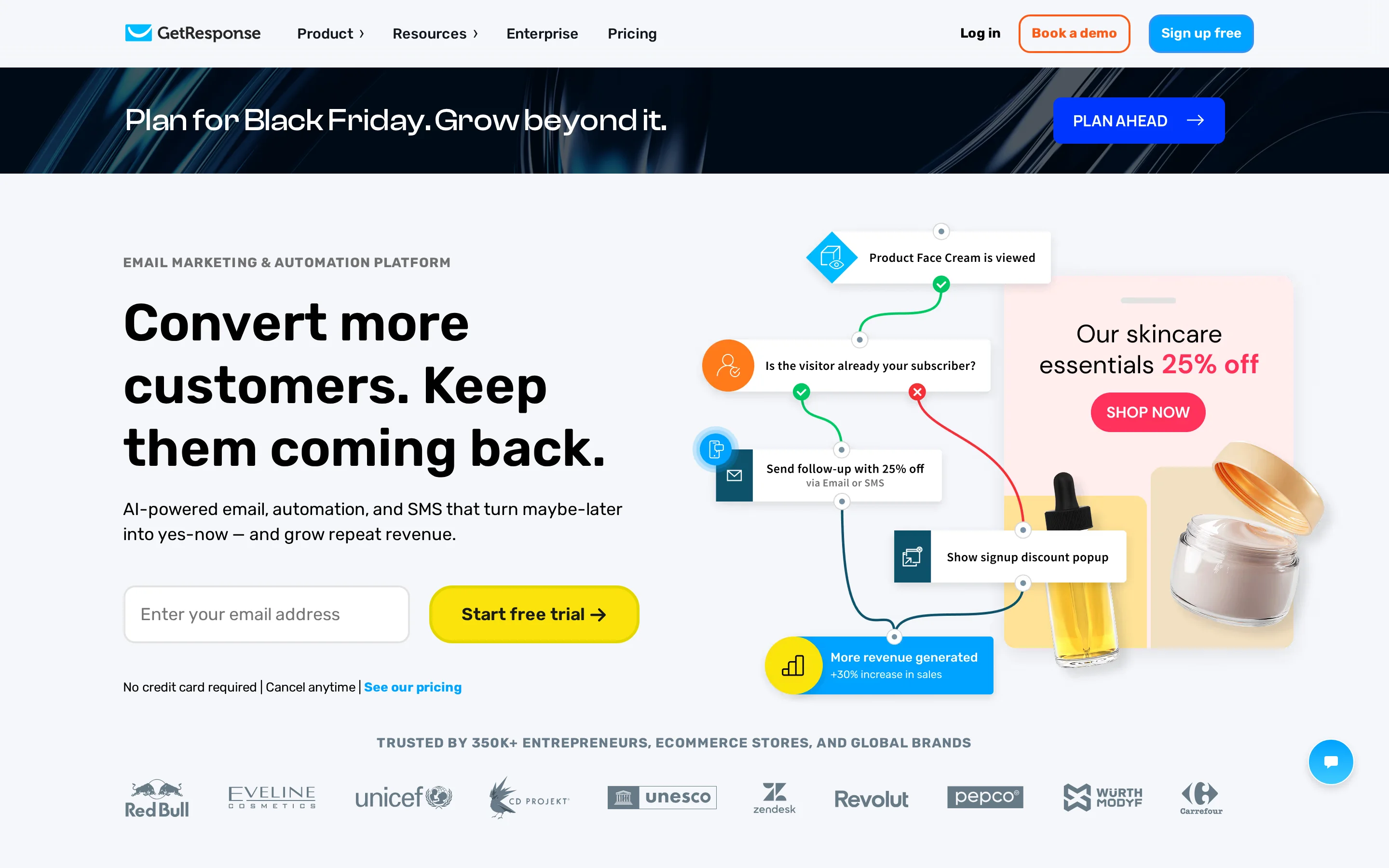
Side-by-side core specifications and live platform viewports.

| Attribute | MailChimp | GetResponse |
|---|---|---|
| Primary Purpose | All-in-one Marketing Platform with CRM & Analytics | Conversion-Focused Automation & Webinar Suite |
| Starting Price | Free (up to 250 contacts) / Essentials starts ~$13/mo (est. based on tier) | Free Trial / Starter starts ~$15/mo (est. based on tier) |
| Free Plan | Yes (250 contacts, 500 sends/mo) | No permanent free plan (14-day trial only) |
| Core Strength | Intuit Intelligence AI & Predictive Segmentation | Integrated Webinars & Conversion Funnels |
| Max Contacts (Standard Tier) | Unlimited (Premium) | Up to 100k+ (Enterprise/Custom) |
| AI Capabilities | Generative AI for copy, insights, and recommendations | OpenAI-powered email/campaign generators |
| Support Model | Email/Chat (Essentials), Phone/Priority (Premium) | 24/7 Chatbot, Live Chat (Mon-Fri), Email |
Feature-by-feature matrix
Audited capabilities across data sourcing, sending infrastructure, and integrations.
| Capability | Why it matters | MailChimp | GetResponse | Winner |
|---|---|---|---|---|
| B2B Contact Database | Access to net-new leads | — None | — None | Tie |
| Email Finder | Discovering verified addresses | → Integration | → Integration | Tie |
| Email Verification | Preserving domain health | ◐ Partial | ◐ Partial | Tie |
| Cold Email Sequencing | Automated follow-ups | ✓ Native | ✓ Native | Tie |
| Multivariate Testing | Optimizing subject lines/content | ✓ Native (Premium) | ◐ Partial (A/B only) | mailchimp |
| Landing Page Builder | Lead capture infrastructure | ✓ Native | ✓ Native | getresponse |
| Webinar Hosting | High-intent lead nurturing | — None | ✓ Native | getresponse |
| CRM Functionality | Tracking deal stages | ✓ Native (Basic) | ◐ Partial (Tags/Segments) | mailchimp |
| SMS Marketing | Multi-channel outreach | ✓ Native (Paid Plans) | ✓ Native (Paid Plans) | Tie |
| AI Content Generation | Speeding up campaign creation | ✓ Native (Intuit Assist) | ✓ Native (OpenAI) | Tie |
| Predictive Segmentation | Targeting high-value prospects | ✓ Native (Premium) | ◐ Partial (Behavioral) | mailchimp |
| Phone Support | Critical issue resolution | ✓ Native (Premium) | — None | mailchimp |
| Dedicated Account Manager | Strategic guidance | ✓ Native (Premium) | ◐ Partial (Enterprise) | mailchimp |
| API Rate Limits | Data pipeline integration | ◐ Standard | ◐ Standard | Tie |
| E-commerce Integrations | Revenue attribution | ✓ Native (Deep Shopify/Woo) | ✓ Native (Shopify/Woo) | mailchimp |
| Social Media Ads | Retargeting capabilities | ✓ Native (FB/IG/Google) | ✓ Native (FB/IG/Google) | Tie |
Technical deep dives
Architectural comparisons derived from live platform testing.
 Full resolution
 Full resolution
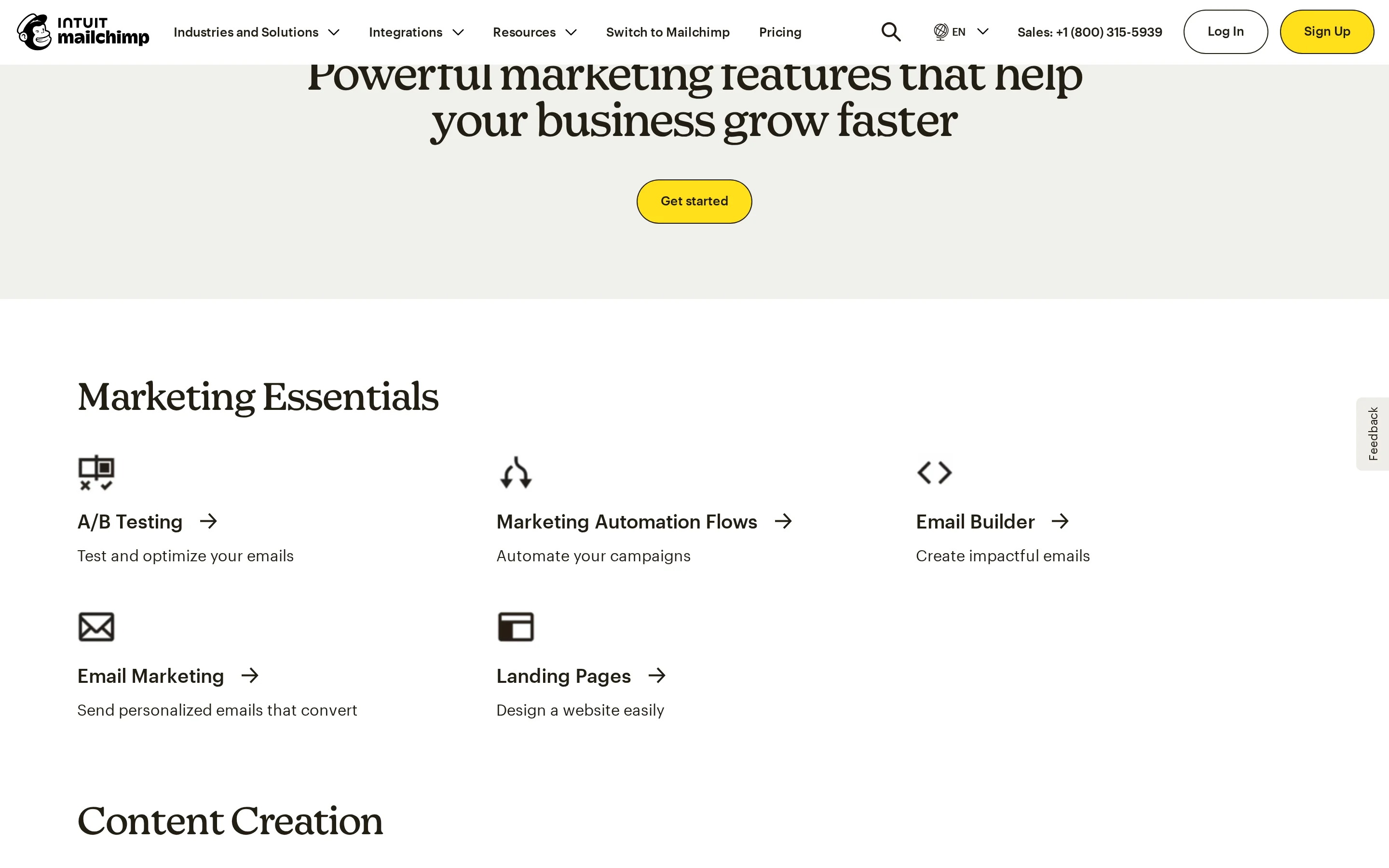
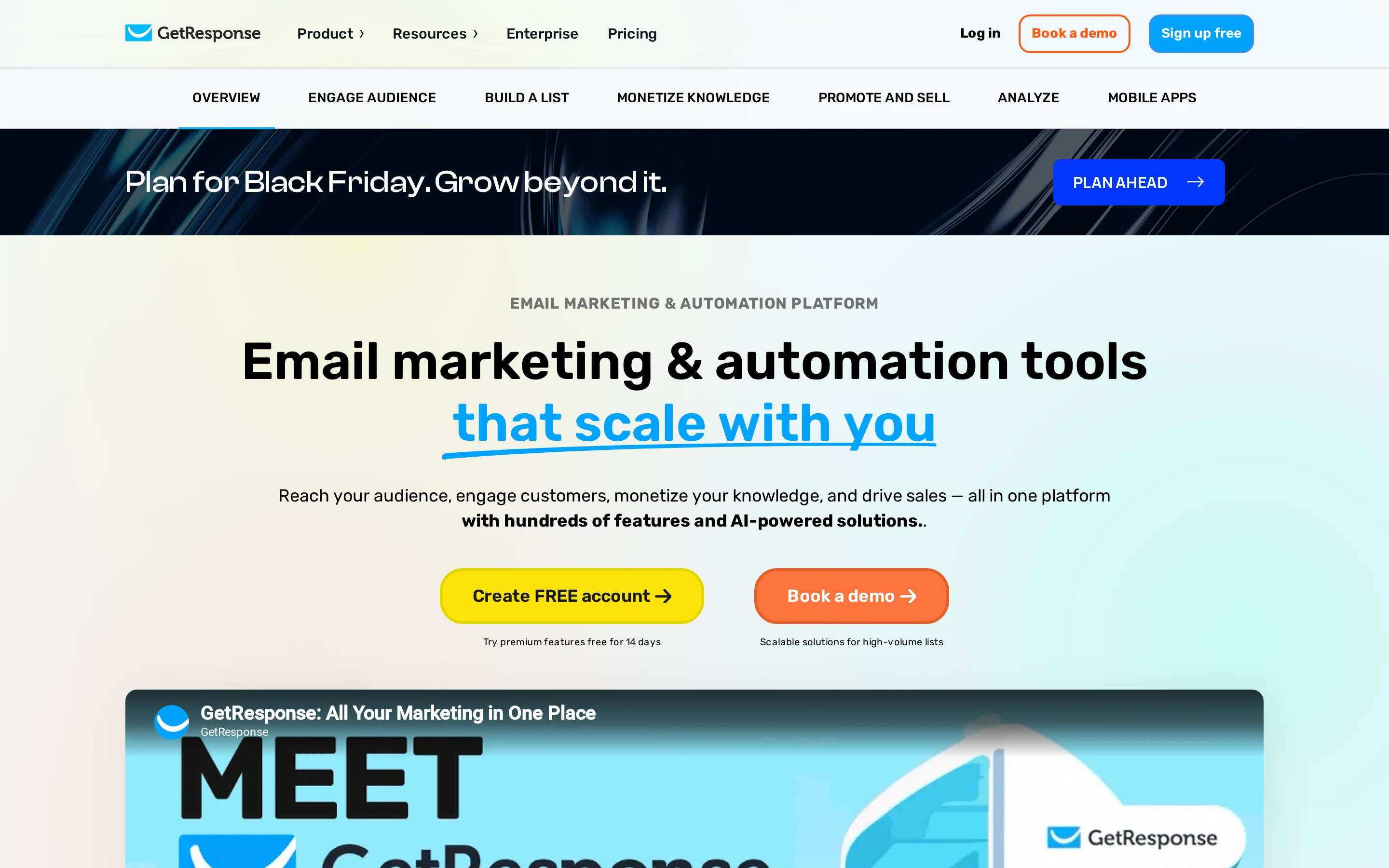
AI-Driven Content Generation & Campaign Automation: Generative Insights vs. OpenAI-Powered Workflow Creation
MailChimp leverages 'Intuit Intelligence' to provide actionable insights into audience growth and conversion funnels. Its generative AI features are deeply embedded in the analytics layer, offering predictive segmentation and smart recommendations for next steps. This approach is less about raw text generation and more about strategic decision-making, helping users understand *what* to send based on store data and customer behavior.
GetResponse integrates explicit 'OpenAI technology' directly into its workflow creators. The platform offers an AI email generator, campaign generator, and writing assistant that focuses on speed and content creation. Users can generate entire landing pages, welcome emails, and newsletters in minutes. While MailChimp guides strategy, GetResponse accelerates execution by automating the drafting process itself.
For outbound sales teams, GetResponse’s AI is more practical for rapid iteration of cold sequences and A/B testing copy variants. MailChimp’s AI is superior for long-term nurture campaigns where understanding revenue drivers and customer lifetime value is critical. If your bottleneck is writing volume, choose GetResponse; if it is targeting precision, choose MailChimp.
Enterprise Support Architecture & Onboarding: Dedicated Expert Migration vs. Globalized Customer Success Teams
MailChimp Premium distinguishes itself with 'dedicated support of experts to migrate your data' and 'Phone & Priority Support.' This high-touch model is designed for enterprises moving from legacy systems or managing complex multi-brand setups. The inclusion of personalized onboarding ensures that advanced features like multivariate testing and custom-coded templates are implemented correctly from day one.
GetResponse relies on a globalized Customer Success Team with defined hours for live chat (8 AM–10 PM GMT+1) and 24/7 chatbot/email support. While they boast a 96% satisfaction rate and quick response times, they lack direct phone support for standard tiers. Their 'Pilot Program' for Enterprise offers 30 days of access with dedicated support, but this is a temporary engagement rather than a permanent structural feature like MailChimp’s Premium tier.
In a high-stakes outbound environment, downtime or misconfiguration can kill deliverability. MailChimp’s phone support and expert migration services provide a safety net that GetResponse cannot match outside of its top-tier enterprise contracts. For teams without internal technical resources, MailChimp Premium reduces risk significantly during the transition phase.
Advanced Testing & Conversion Optimization: Multivariate/A/B Testing vs. Integrated Landing Page & Webinar Ecosystems
MailChimp’s strength lies in its granular testing capabilities within the Premium plan, including multivariate and A/B testing for email content and send times. It optimizes the *message* delivery. However, its landing page builder is functional but secondary to its core email engine. The focus is on maximizing open and click rates through data-driven adjustments to existing assets.
GetResponse bundles landing pages and webinars as core conversion assets tied directly to automation sequences. Its 'Conversion Funnel' feature allows users to build end-to-end paths from ad click to webinar registration to email purchase. This holistic view means optimization happens across the entire journey, not just the email body. The native webinar tool captures high-intent leads that email alone might miss.
For outbound sales, the goal is often to book meetings or demos. GetResponse’s integrated webinar and landing page ecosystem creates a tighter feedback loop for lead qualification. MailChimp excels if you already have a separate CRM or webinar platform and need best-in-class email testing. GetResponse wins if you want a single platform to host the entire conversion event.
Pricing & true cost
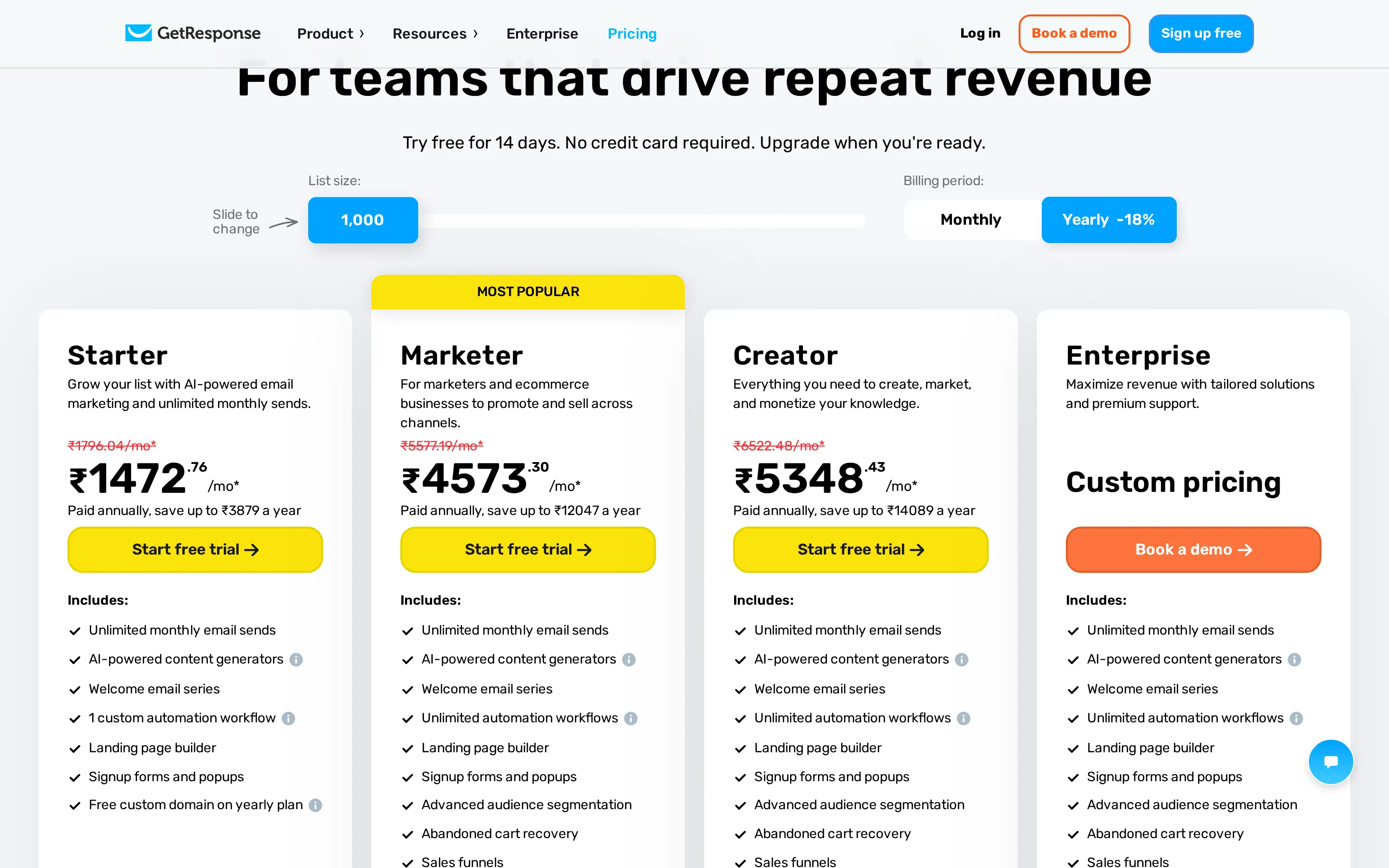
Published tier structures, credit scaling mechanics, and total outbound cost.
 Full resolution
 Full resolution
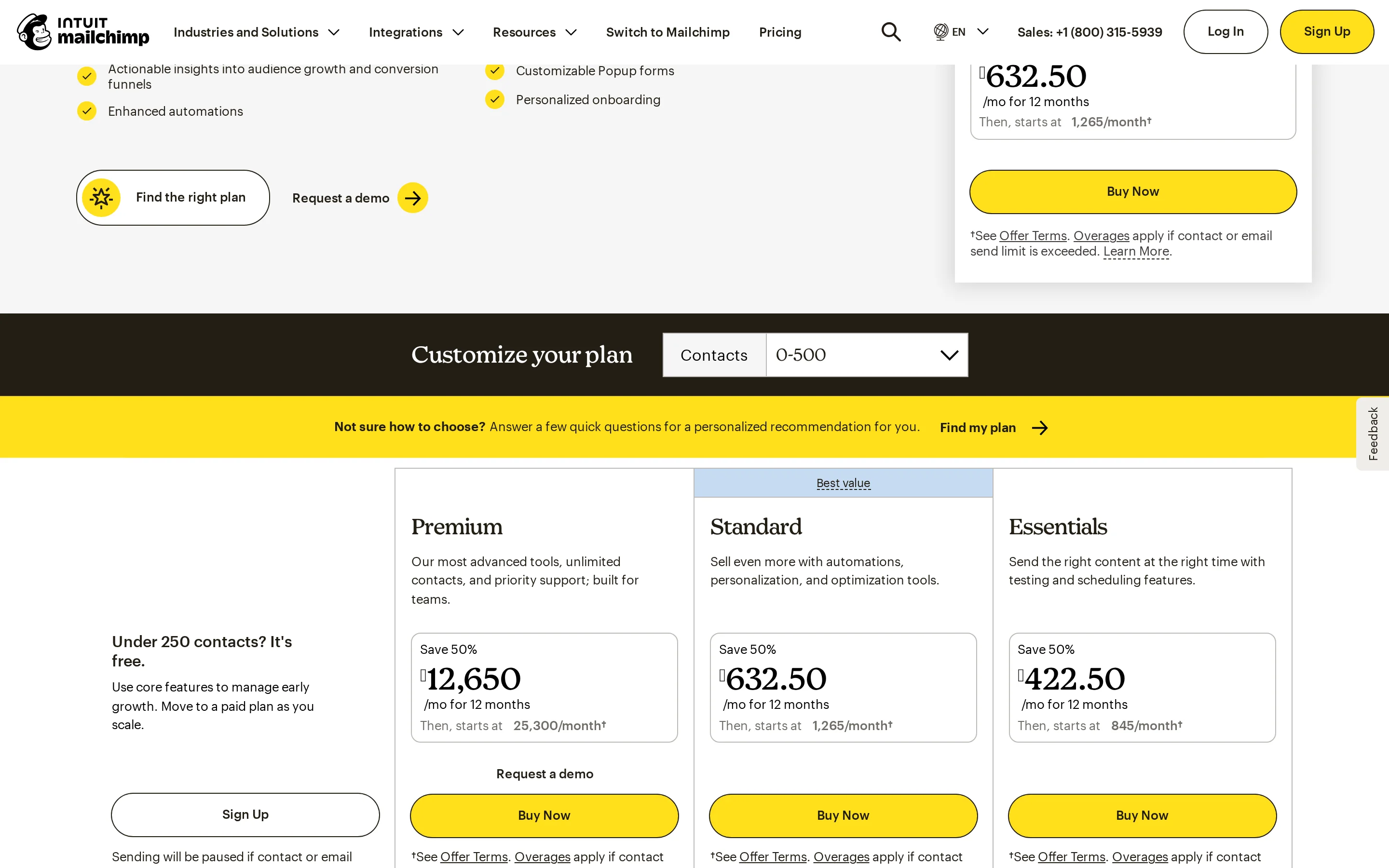
MailChimp plans
- Free: $0/mo (250 contacts, 500 sends)
- Essentials: Starts ~$13/mo (varies by contact count, 50% off promo available)
- Standard: Starts ~$20/mo (varies by contact count, 50% off promo available)
- Premium: Custom Pricing (Contact Sales for >150k contacts, 50% off promo available)
GetResponse plans
- Starter: Starts ~$15/mo (1k contacts, varies by list size)
- Marketer: Starts ~$49/mo (includes automation/webinars)
- Creator: Starts ~$59/mo (includes course creator/premium newsletters)
- Enterprise: Quote-Based (Custom pricing for SMS, push notifications, etc.)
MailChimp uses a contact-based pricing model that becomes expensive at scale unless negotiated via the Premium tier. Its '50% off' promotions are aggressive but require commitment to annual billing. GetResponse also scales with contact lists but generally offers more feature-rich automation (like webinars) in its mid-tier 'Marketer' plan compared to MailChimp’s 'Standard'. For small teams (<1k contacts), MailChimp’s Free plan is unbeatable. For growing teams needing automation, GetResponse’s Marketer plan often provides better ROI due to bundled conversion tools.
of Ownership Analysis
For a 5-person sales team managing 10,000 contacts:
MailChimp: Likely requires the Standard or Premium plan depending on automation needs. At 10k contacts, Standard costs approximately $100-$150/mo (post-promo). Premium is quote-based but likely exceeds $200/mo. Total Annual Cost: ~$1,200 - $2,400.
GetResponse: The Marketer plan at 10k contacts costs approximately $120-$150/mo. Total Annual Cost: ~$1,440 - $1,800.
Verdict: Costs are comparable at this scale. However, GetResponse includes webinar hosting and advanced automation flows that would require third-party add-ons (like Zoom or Calendly integrations) on MailChimp, potentially saving $50-$100/mo in external software costs.
Which fits your outbound model?
Match your team size, deal complexity, and lead volume to the right engine.
High-Volume Cold Outbound
GetResponse is built for conversion-focused outbound with integrated landing pages and faster setup for cold traffic.
Bulk List Cleaning & Hygiene
MailChimp’s Intuit Intelligence provides deeper insights into audience quality and churn prediction, aiding hygiene efforts.
Developer API Data Pipelines
MailChimp has a more mature developer ecosystem and extensive documentation for custom-coded templates and API integrations.
Webinar-Led Sales Nurturing
GetResponse’s native webinar tool is seamlessly integrated into its automation workflows, unlike MailChimp which requires external tools.
Where each platform falls short
Constructive limitations and architectural trade-offs to weigh before signing.
Where MailChimp falls short
- No native webinar hosting capability.
- Advanced automation flows (multivariate testing) locked behind expensive Premium tier.
- Strict sending limits on Free/Essentials plans hinder high-volume outbound testing.
- Customer support is limited to email/chat until Premium tier.
Where GetResponse falls short
- No permanent free plan (only 14-day trial).
- Live chat support hours are restricted (not 24/7 human support).
- Less sophisticated predictive analytics compared to MailChimp’s Intuit Intelligence.
- Interface can feel cluttered due to bundled features (courses, webinars, ads).
The switching playbook
What you gain and give up when migrating across platforms.
- Access to Intuit Intelligence for revenue-driven insights.
- Better e-commerce integration depth (Shopify/WooCommerce).
- More flexible custom-coded template options.
- Stronger brand recognition and trust for B2B recipients.
- Loss of native webinar hosting.
- Higher cost for advanced automation features.
- Slower setup for conversion funnels.
- Native webinar and landing page integration.
- Faster AI-assisted campaign creation.
- More affordable mid-tier automation features.
- Built-in paid ads creator for Google/Meta.
- Loss of deep predictive segmentation.
- No permanent free plan.
- Less robust developer API documentation.
Frequently asked questions
Direct technical answers about MailChimp and GetResponse.
Which platform has better data accuracy?
MailChimp generally offers higher data accuracy for behavioral tracking due to its integration with Intuit’s financial and commerce data layers. GetResponse relies more on self-reported user actions and standard email metrics.
How do their starting costs compare?
MailChimp offers a permanent Free plan for up to 250 contacts. GetResponse does not have a free plan, only a 14-day trial. Paid entry points are similar (~$13-$15/mo), but MailChimp’s Essentials plan lacks key automation features found in GetResponse’s Starter.
Can I connect unlimited mailboxes?
Neither platform supports 'unlimited' mailboxes in the sense of sending from arbitrary domains without verification. Both require authenticated sender domains. MailChimp allows multiple connected stores/accounts on Premium; GetResponse allows multiple sub-accounts on Enterprise.
Which tool is easier to learn?
GetResponse is often considered easier for beginners due to its guided 'Conversion Funnel' wizard and pre-built templates. MailChimp has a steeper learning curve because of its vast array of settings and advanced analytics tools.
Do they support SMS marketing?
Yes, both platforms support SMS marketing. MailChimp includes it in Standard and above. GetResponse includes it in Marketer and above, with additional credits purchased separately.
Sources & methodology
Every claim is grounded in official vendor documentation and live audits.
Compare with sendroAI
See how sendroAI replaces manual research, credit limits, and deliverability traps with full autonomous execution.